Reading the studio
The studio layout: step tabs, the work surface, chat, and branches.
4 min read
The studio is where the whole journey happens. Once you know its three regions, every step feels familiar.
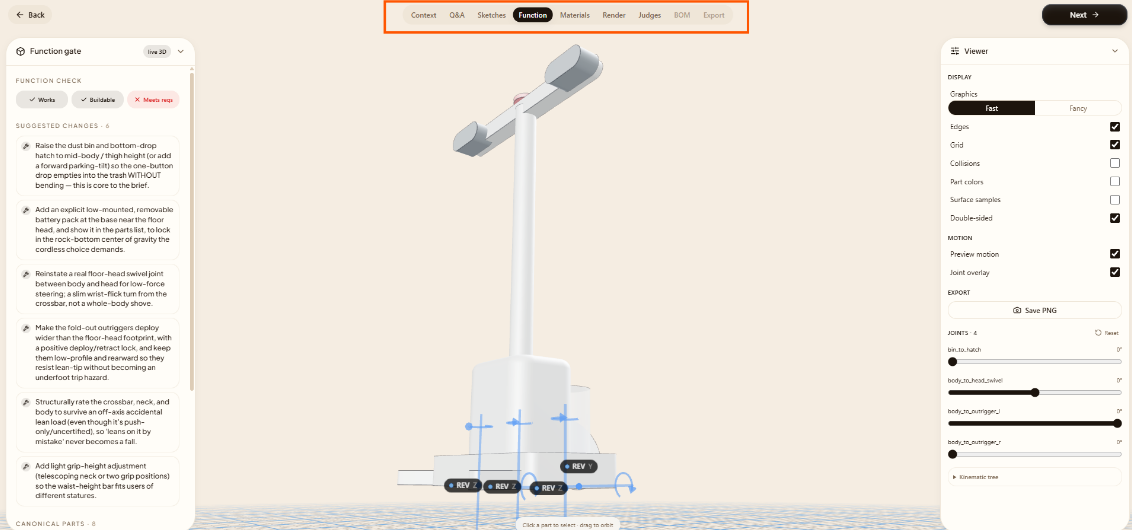
The step tabs
Across the top is the journey: Context, Q&A, Sketches, Function, Materials, Render, Judges, BOM, Export, with the Mechanism tab appearing only when your product needs it. Completed steps stay reachable, so you can always go back and review or revise.
The work surface
The center is the step's main view: a question, the 3D model, the materials board, the judges' scorecards. It's where you read and act on whatever the current step produces.
The chat
Alongside the surface, a chat lets you talk to the Lens brain: answer a question, ask for a change, or push back on a decision. It's the same brain driving every step.
Branches & paths
After Sketches you can commit to more than one concept. Each becomes a path you can develop independently, so you can carry two or three directions forward and compare them rather than betting everything on one.